

California · Early access
Describe your change in plain English. Get your California amendment.
A drafting tool for licensed California real estate agents — transaction addendums and amendments, drafted for you to review, edit and approve.
A real amendment, drafted from one sentence — you review every line before it sends.
- Written for California.Close of Escrow, not “closing date.” The state’s own conventions.
- For changes with no form.Conditional credits, cascading extensions, repairs after closing.
- You have the last word.Read it, change any clause, download the PDF. It goes out when you say so.
The product
What you get, screen by screen.
Add the property, say what changed in your own words, and read what comes back.
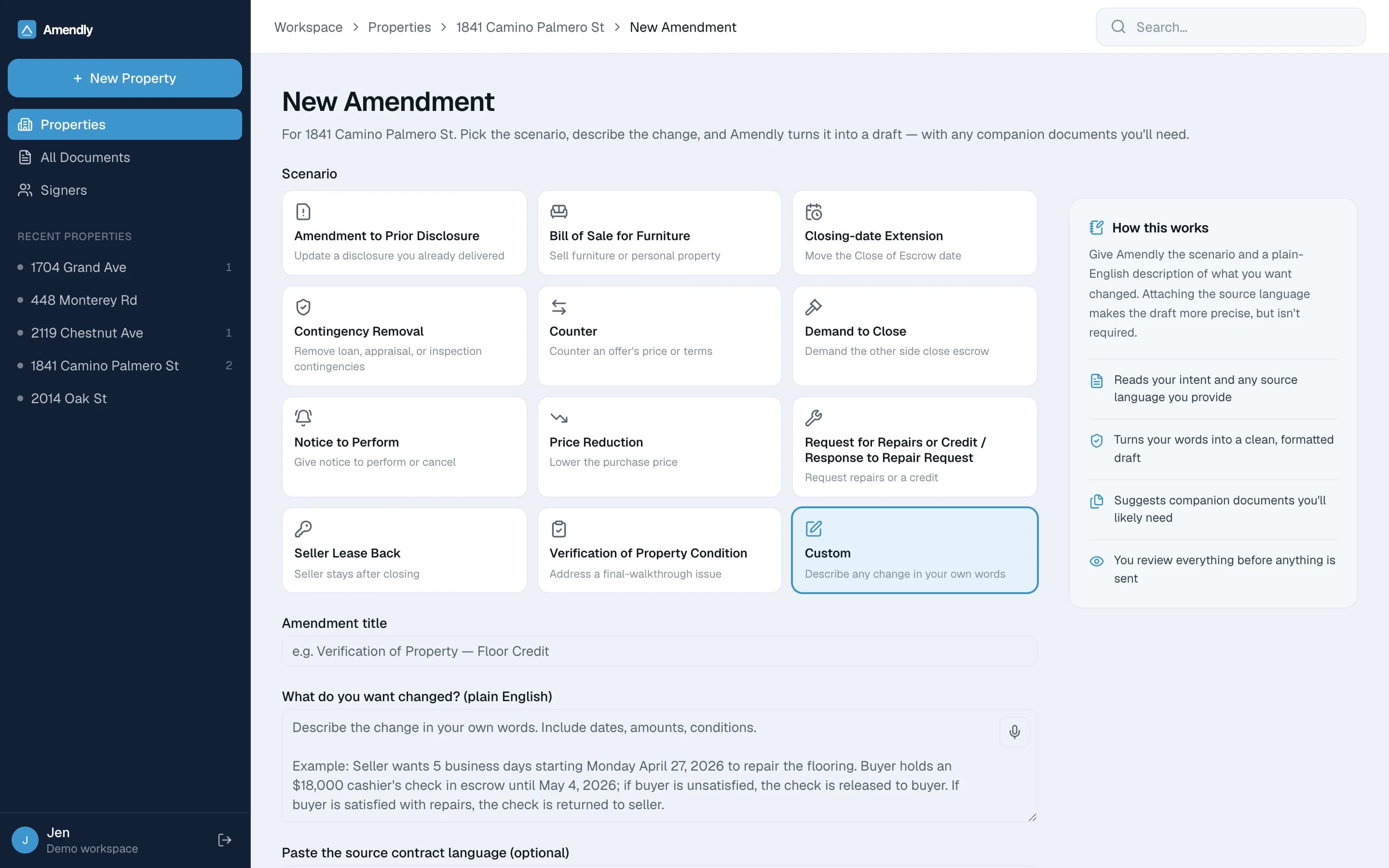
01Pick the change, describe it
Twelve of the usual scenarios, or Custom for the change that has no form at all. Then say what happened in the words you would use on the phone.
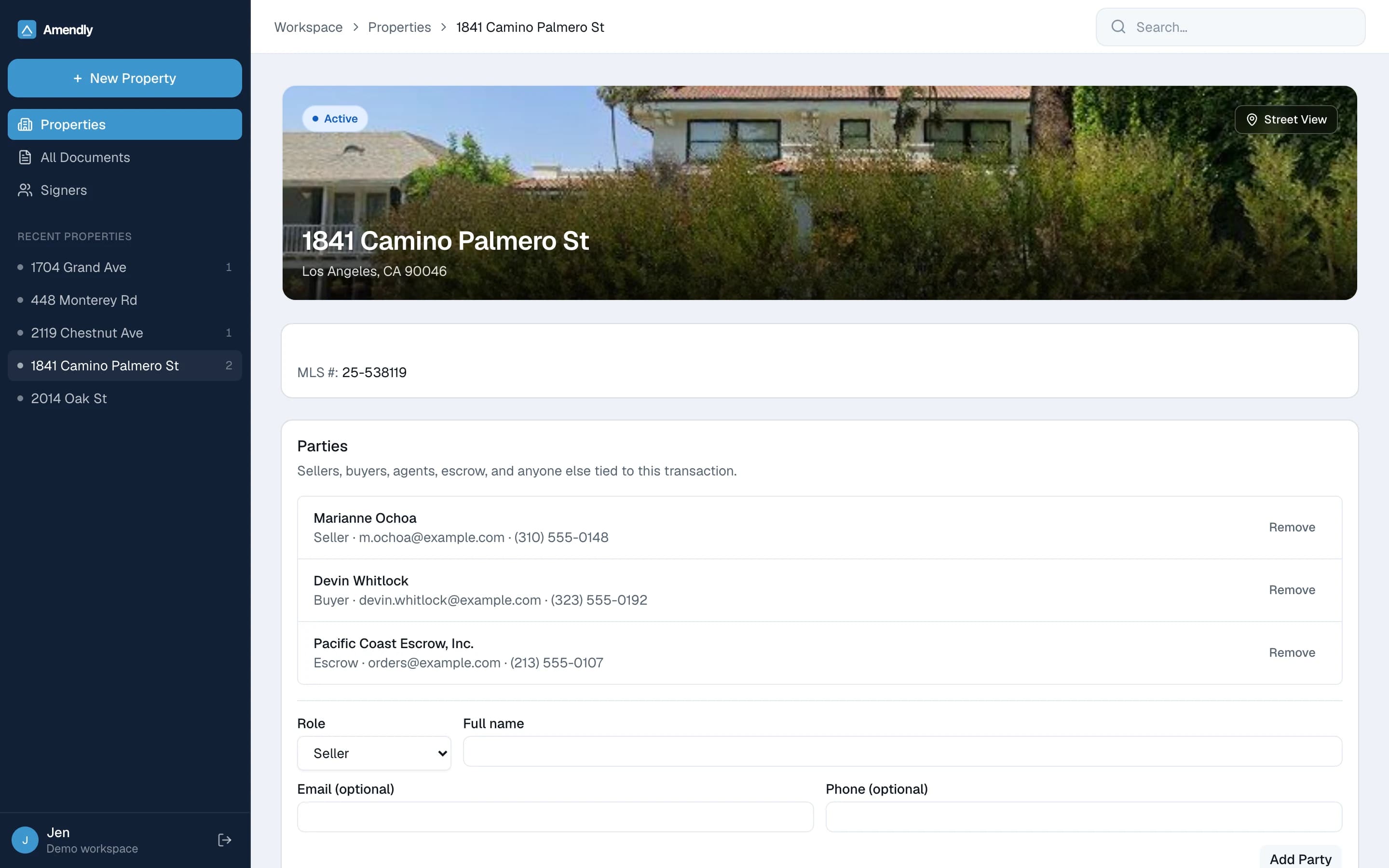
02The deal in one place
A photograph of the house, the MLS number, and every party on the transaction — so a draft can use the real terms of your deal instead of blanks.
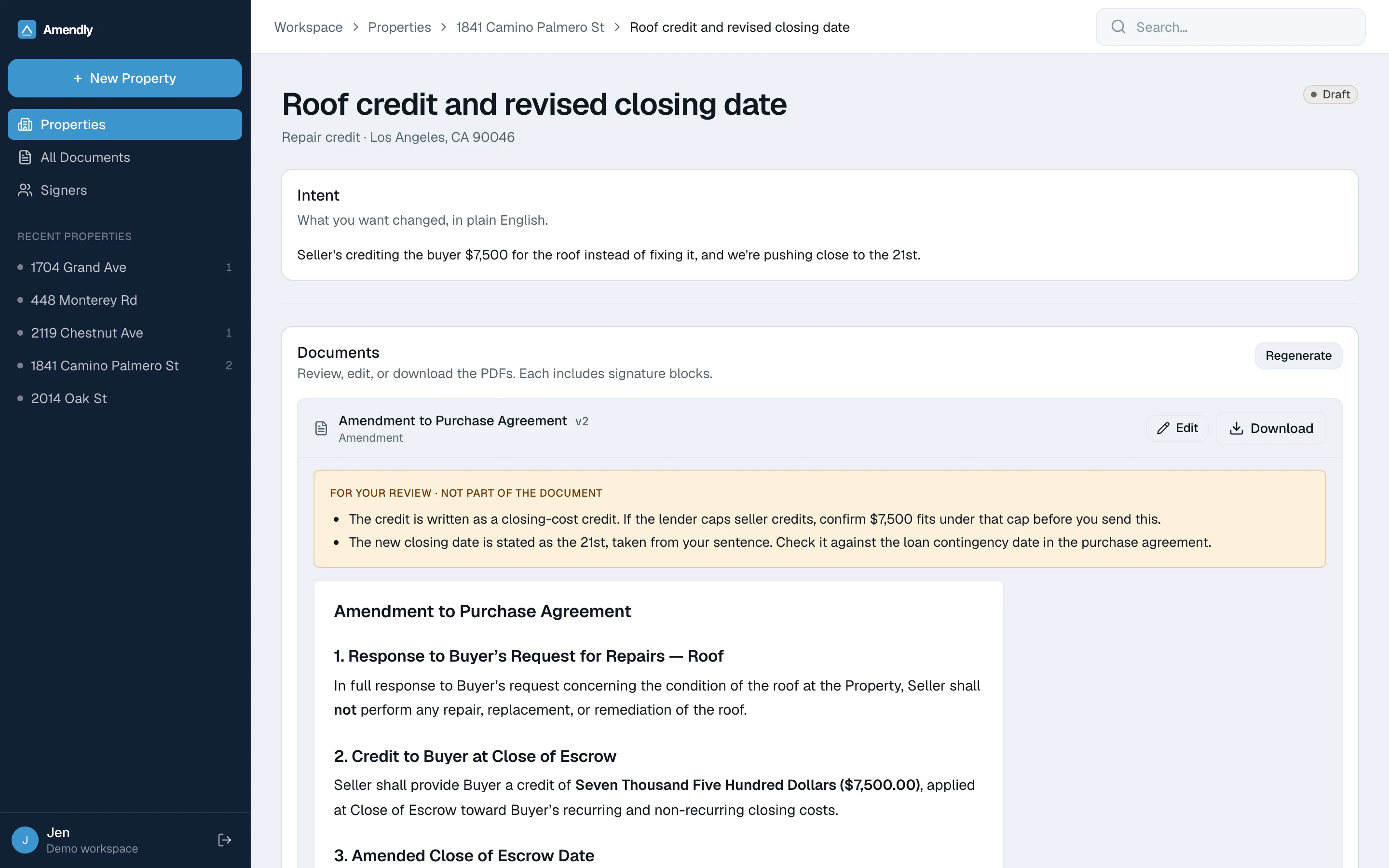
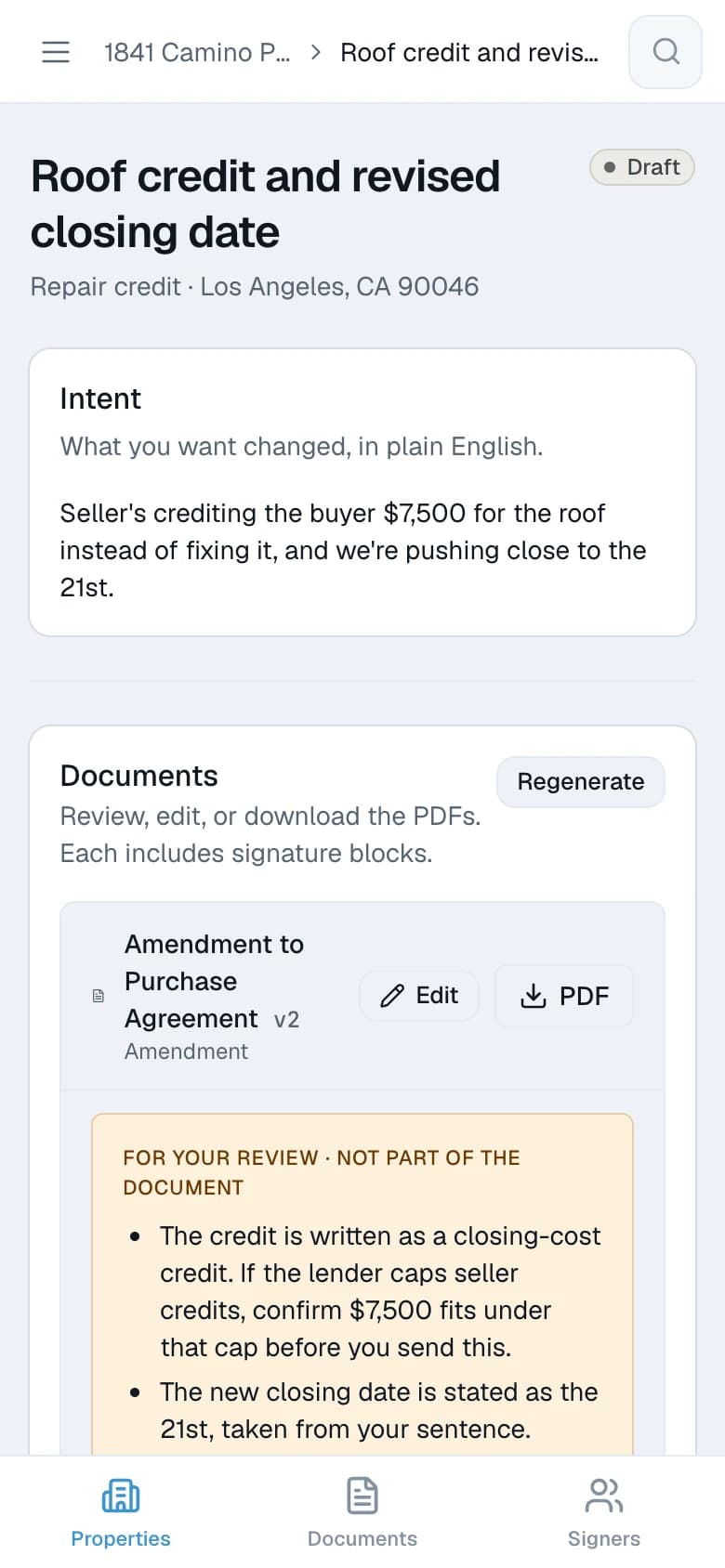
03The draft, and what to check
Every clause it wrote, with the points it wants a second look at called out above the document.
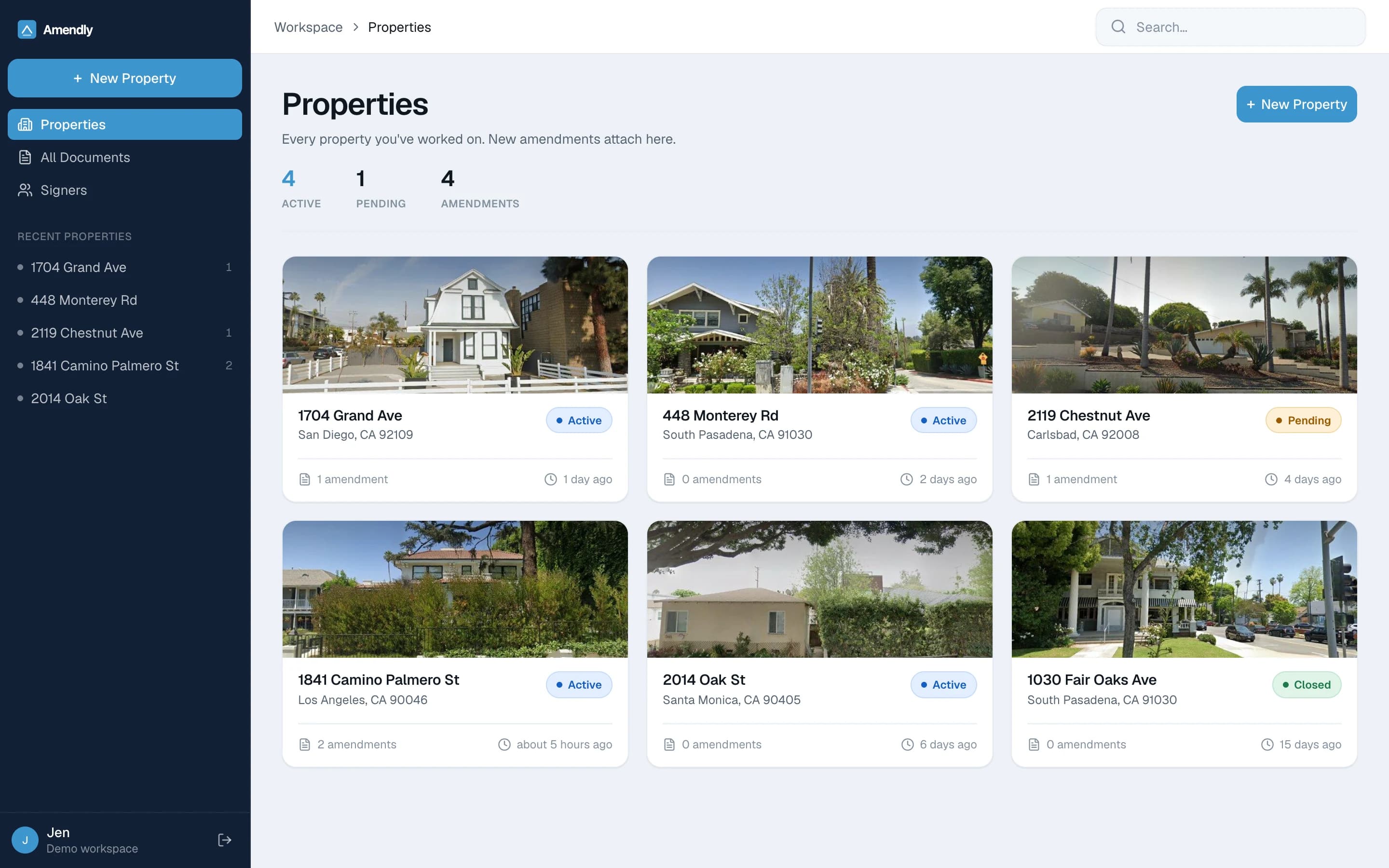
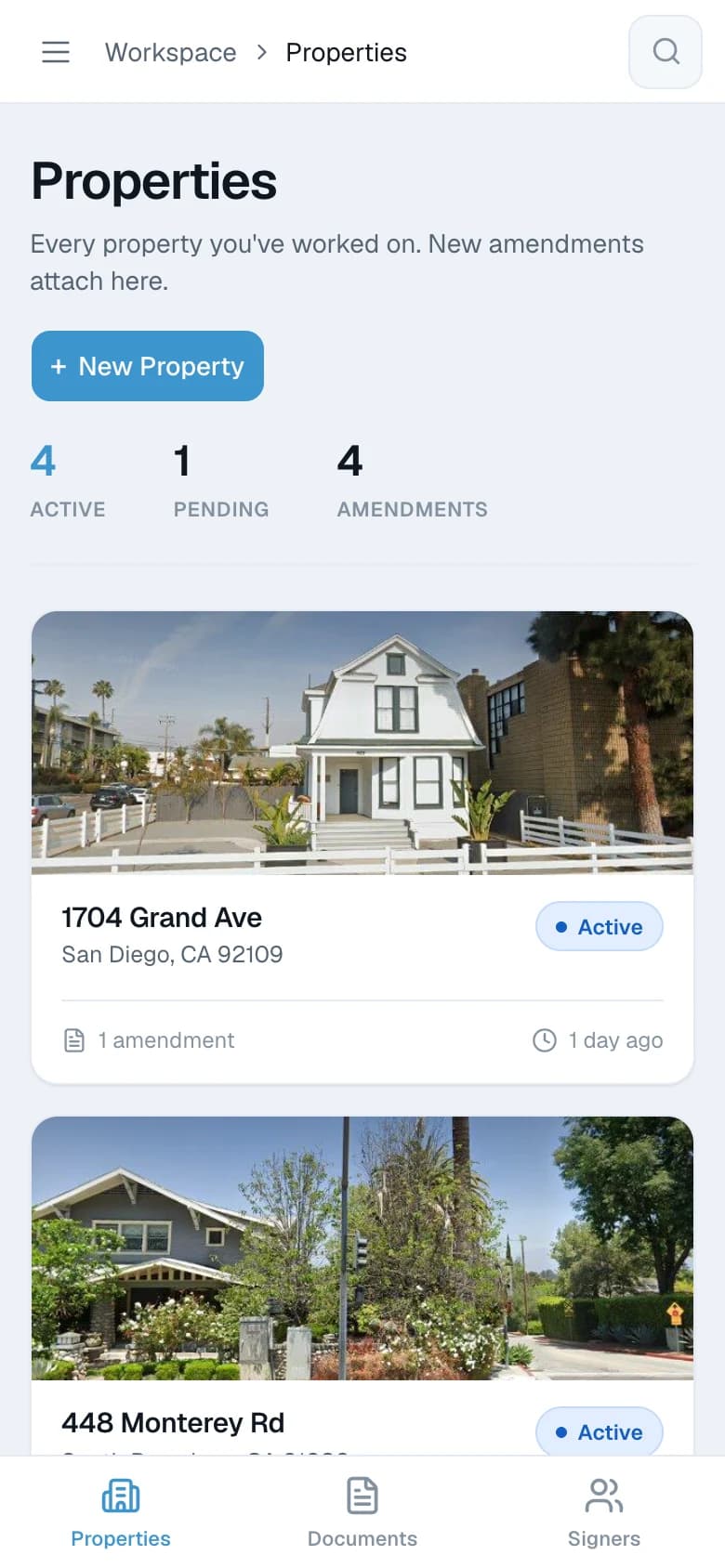
04Filed by property
Every amendment attaches to the deal it came from, under a photo of the house. Nothing lives in your downloads folder.
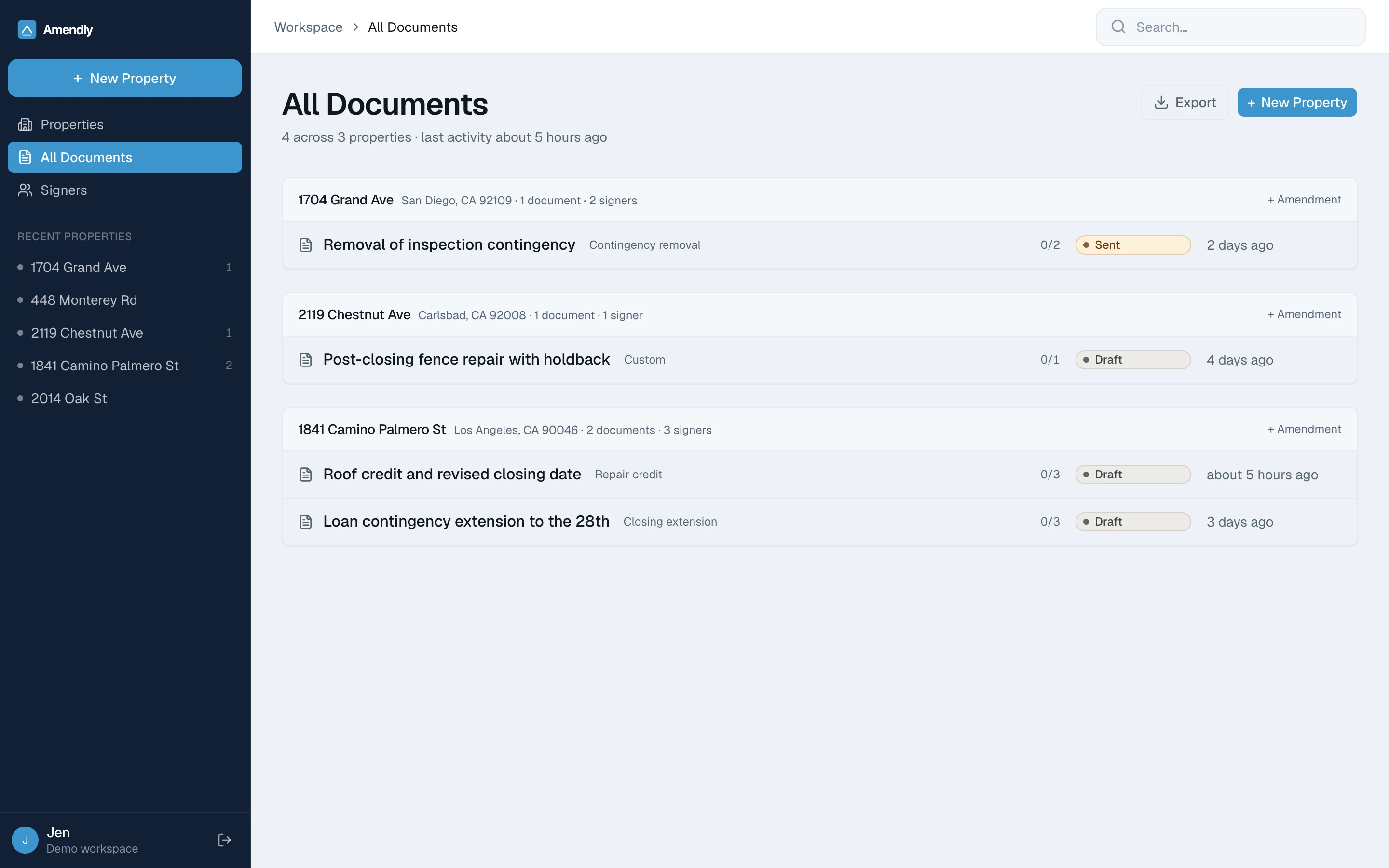
05Everything you have drafted
Across every property, with where each one stands at a glance — draft, sent, or signed.
Anywhere
The same product on your phone.
Not a cut-down version. The whole thing, for the change that comes up at the walkthrough rather than at your desk.

The gap
There is a form for almost everything.
Keep using it. What it cannot cover is the change that arrives late, moves money or a deadline, and leaves you writing the language yourself — where your own words are the only thing holding the deal together.
A credit with conditions
Money moves, but only if something else happens first.
An extension that cascades
One new date drags four other deadlines along with it.
A walkthrough surprise
Found the night before closing, with nothing standard to fix it.
A repair after closing
Work the seller finishes later, with a fallback if they don’t.
The alternative
Why not just ask a chatbot to write it?
You can, and it will hand you something that reads well. The difference is what each one is built to do when it isn’t sure.
No citation for anyone to catch
It never cites a code section, a statute, or a form number — nothing invented, nothing to get wrong.
Section numbers straight from your contract
It can only cite a section number that actually appears in your contract. Otherwise it names the provision in words.
It knows which state it is in
Close of Escrow, not “closing date.” California phrasing built into the tool rather than recalled by it.
Your client’s numbers stay out of it
Social Security and bank account numbers are stripped from the contract before any drafting begins.
A general assistant is built to always give you an answer. Amendly is built to refuse the ones it shouldn’t give.
Control
You approve every word before anyone else sees it.
Your client only hears from you
No automated email, no signature request, no contact with anyone in your transaction.
Private numbers stay private
Social Security and bank account numbers never reach the drafting step.
Every version is yours to keep
Rewrite a clause, regenerate, or start over. Each draft is filed under the property.
Pricing
Four prices, published in full.
Start free with no card. A California transaction coordinator charges $425 to $525 for a single file — one month of Solo is about a fifteenth of that.
The year costs less than twelve monthly payments.
Trial
Bring one live deal in and see what comes back.
Free
No card. It does not expire.
- One amendment, start to finish
- One property, kept permanently
- Download the completed PDF
Solo
RecommendedFor agents closing three to eleven transactions a year.
$290a year
$58 less than $29 a month for a year ($348)
Stop whenever you want to.
- Five amendments a month
- Unlimited properties and versions
- Every draft filed against its transaction
Pro
For producers closing twelve or more.
$590a year
$118 less than $59 a month for a year ($708)
Stop whenever you want to.
- Unlimited amendments
- Priority drafting
- Full file history export
Brokerage
For the managing broker who carries the supervision duty.
$19per seat, a month
Ten seats minimum, billed annually.
- Pro capability for every agent
- Your supervision record — every draft, version and review, exportable
- Office-wide onboarding
Every account starts on the free trial, with no card. You choose a paid plan from inside your account, and you see the price and agree to it before anything is charged.
Before you start
Worth knowing before you start.
Including what happens to the contract you upload, and where Amendly stops.
Draft your first amendmentWhy not just use the free form?
Use it for everything it covers. Amendly is for the deal where you were about to write the language yourself, in the blank box, at the end of a long day.
What happens to the contract I upload?
Social Security and bank account numbers are stripped out before anything is drafted. What remains is stored under your account and is visible to nobody else, so a draft can use the real terms of your deal.
Can I change what it writes?
Every draft opens in an editor. Rewrite a clause, regenerate with new instructions, or start over. Every version is kept.
Is this legal advice?
No, and it never claims to be. Amendly is a drafting tool for licensed agents. It will not tell you which documents your deal needs, or what you should agree to.
Is it California only?
California is the first state Amendly covers. Each state’s contract conventions are written from scratch rather than generalized from somewhere else, so states arrive one at a time.
What does it cost?
The trial is free, with no card and no expiry. Solo is $29 a month for five amendments, Pro is $59 for unlimited, and brokerage seats are $19 each. Paying for the year costs less than twelve monthly payments — $290 against $348 on Solo. Every price is on the pricing page.
The guides
Twenty guides on how a California deal changes.
Free to read, no account needed. What actually moves the contract after acceptance, what only looks like it does, and which document each conversation ends in. Every page names its source.
When something has already gone wrong
The forms, and what each one does not do
- C.A.R. Form ADM — the Addendum
- C.A.R. Form AEA — the Amendment
- C.A.R. Form RR — Request for Repair
- C.A.R. Form RRRR — the seller response
- C.A.R. Form CR — Contingency Removal
- C.A.R. Form NBP — Notice to Buyer to Perform
- C.A.R. Form VP — Verification of Property Condition
- C.A.R. Form CCA — ending the contract
Try it on your next amendment.
Add the property, say what changed, and read what comes back.
Draft your first amendment